1. Log into the Outlook Web App at https://outlook.office365.com using your own (xxxx.xxxx@gleneagles.com) email address.
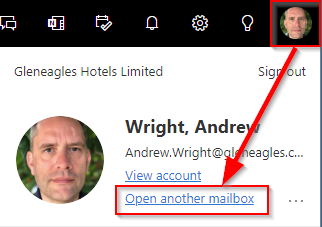
2. Click on your profile image (or placeholder image) on the top right.
3. Choose Open another mailbox.
4. Type in the account you would like to manage (eg. Playground.planners@gleneagles.com) and hit Open.
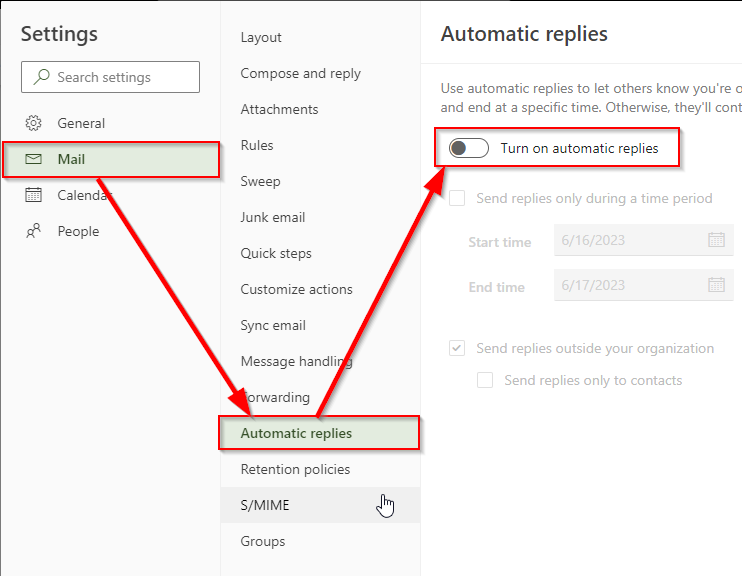
5. Click on the cog on the top right and go to View all Outlook Settings.
6. Select Automatic replies, you will then be presented with the options to customise the out of office reply.
Was this article helpful?
That’s Great!
Thank you for your feedback
Sorry! We couldn't be helpful
Thank you for your feedback
Feedback sent
We appreciate your effort and will try to fix the article